I AM

GAMEPLAY PROGRAMMER

image
Hello,

My name is Simon Gonand

I'm a Junior Gameplay Programmer. Working on several Videogame related project reinforce my love for gaming and programming. I am currently looking for an opportunity to work as a Gameplay Programmer. I love developing systems and working on Gameplay AIs.

I'm aware that it can be not easy to work in this industry with the amount of work and pressure that can be important. Nevertheless I'm deeply motivated in order to fulfill my career objectives.


Studies
Rubika

Game Programming Master's Degree (5th year)

University of the West of Scotland

BSc Computer Games Technology

IUT Aix-en-Provence

DUT Computer Science

Paul Langevin High School

Scientist Baccalaureate Engineering option


Work Experience
Gameplay Programmer

Digixart Entertainment

Tools Programmer Intern

Rebound Capital Games

Customer Support Agent

Pole To Win Glasgow

Java Programmer

Reactis


My Skills
C++ / C# / Java
Unity
Unreal
Git / Perforce / Plastic
SOME OF WORK

Raylib Project

:

INTRODUCTION

 Source code here
 
This project is something personal. I always wanted to work on a project that has his own engine and hiw own technologies. I spent a large amount of time on trying to understand how engine like Unreal works. The goal of this project is to make a little game in C++ without using any existing engine. All I use is Raylib for the rendering and Box 2D for the physics.
 

WHAT I DID

For the moment on this project I've some features that are implemented and that are listed below. I'm planning on making seperate articles to detail them better so everyone can see the evolution. 
 

Delegate and Input system 

 The first thing I wanted to do was to create an Input system that is easy to use with keyboard, mouse and gamepad inputs. I don't want to have any difficulties to add a feature to the game due to this. I use this to create a Delegate system that will always be useful during game development.
 
The DelegateBase class is a generic class that can receive a return value and a bunch of arguments. The user just has to create an instance of this class and call Bind to bind a callback function to it with an instance or without. The Invoke function will call this callback function. 
Here's the example with the InputComponent class.
 
 
What is happening here is that the we have binded an input to a specific event (specified in the InputManager). The Update function of the component (so every frame) will check if the input binded to the event is triggered and then will called the binded callback function.
 
 
Here is an example of a binded input for the jump. In the Player:


And how the event has been defined in the InputManager:


Movement system

I wanted the player, and maybe other characters, to have different kind of movement. Right now, the player can run, jump and slide. The player has a Movement Component that is dealing with that. Every Movement type is a specific class that is dealing with the velocity calculation and if we can swtich to it.
Here's an example of the basic MovementModeBase:
 
 
All the Movement modes are child of this base class and can override the PerformMovement function. 
 

2D Animation system

Once I had my character in movement, I felt like I wanted to see him moving around with nice and smooth animation. I've implemented a sprite sheet animation system with animation state to switch between.
The rendering component can have a reference to an AnimationManager (I want to have different kind of animation manager in the future not only sprite sheets), that is managing the animation to play and when.
 
For the moment, the animation manager is creating animation from a spritesheets texture. The user can decide how many frame he wants in the animation, how long an animation frame lasts and if the animation is looping or not. The animation is linked to a state and he can set the current animation state anywhere in runtime or inside the Update function of the manager.


Tile map

It was time to put our character inside a nice environment. I wanted to make a level editor. For that I helped myself using the Tiled software that will help me to create Tile map in XML. All I needed to do was to parse the XML (using the rapidxml library) to import what is created in the editor inside the game.
The idea is that I have a TileMap actor type that has sprite sheet textures and with the information inside the XML layers, knows where to the tiles in the world. The editor can also be used to place collisions, different kind of objects, background textures with parallax effect.


Grappling Hook

The player movement are very basics for now. I want to experience some 3C challenges. That is why I have think of adding a Grappling Hook to the player. For the moemnet the Grappling Hook as to possibilities : Balance the player or giving him a boost toward a specific location.
 

 The player can aim using the mouse (free movement around the screen) or using the gamepad (the aim texture is rotating around the player character sprite).


WHAT I WANT TO DO NEXT

Those are the different stuff that I want to add to this project. If you are reading this article and you want to give me feedback, advices or ideas, please contact me on my LinkedIn. I'll be more than happy to have an opportunity to improve myself!
 

Improve movement feeling

I'm currently showing this little prototype to Game Designer friend of mine to have their feedback on how I can improve the global game feel and also if they have any new move set ideas. 
 

Add enemies and obstacles

Once I'm happy with the character movement I would like to create a bunch of enemy types to bring some challenge. I also would like to use the grappling hook as a weapon to beat those enemies. 
 

Add sounds and musics

Raylib supports .wav play files. I would like to use that to add some music and some sound design to the prototype. I'm not decided yet but on a previous project, I already created a pipeline with WWise, I might do the same here if it is relevant.
 

Create actors using an external file to "clear the code"

I would like to add something like .uasset and .ini files. Not as complex of course but a file that will contains all the information of an actor for his creation (Stats, Initial Transform, Animation states etc...). I also want external files for inputs.
 

Make a first prototype

I want to know if my tools and my architecture is "production proof" and I think the best way to know that is to create a small game with something like 2-3 levels, some UI and a boss fight. I think I will see optimization issues, bugs and user issues.
 

Better separation between "Engine" part and "Project" part

For the moment there is not a real separation between what can be use between every project and what is specific to this project. The goal is to create an Engine project that I can use in different projects to have a code base.
 

Add a 3D project using bullet

 Once I have an "Engine" project, I want to use it to create a 3D project in order to have other challenge and complexities. For the moment, I'm trying to manage everything using 3D vectors and stuff like that so the switch to the 3D part of raylib won't be too difficult.

Tides of Tomorrow

INTRODUCTION

Tides of Tomorrow is the last game that have been working on at Digixart Entertainment. This is an asychronous multiplayer adventure game where your story will be impacted by others.
The game will release on 24th February 2026.
 

MY WORK

This project has been made using Unreal Engine 5.
 
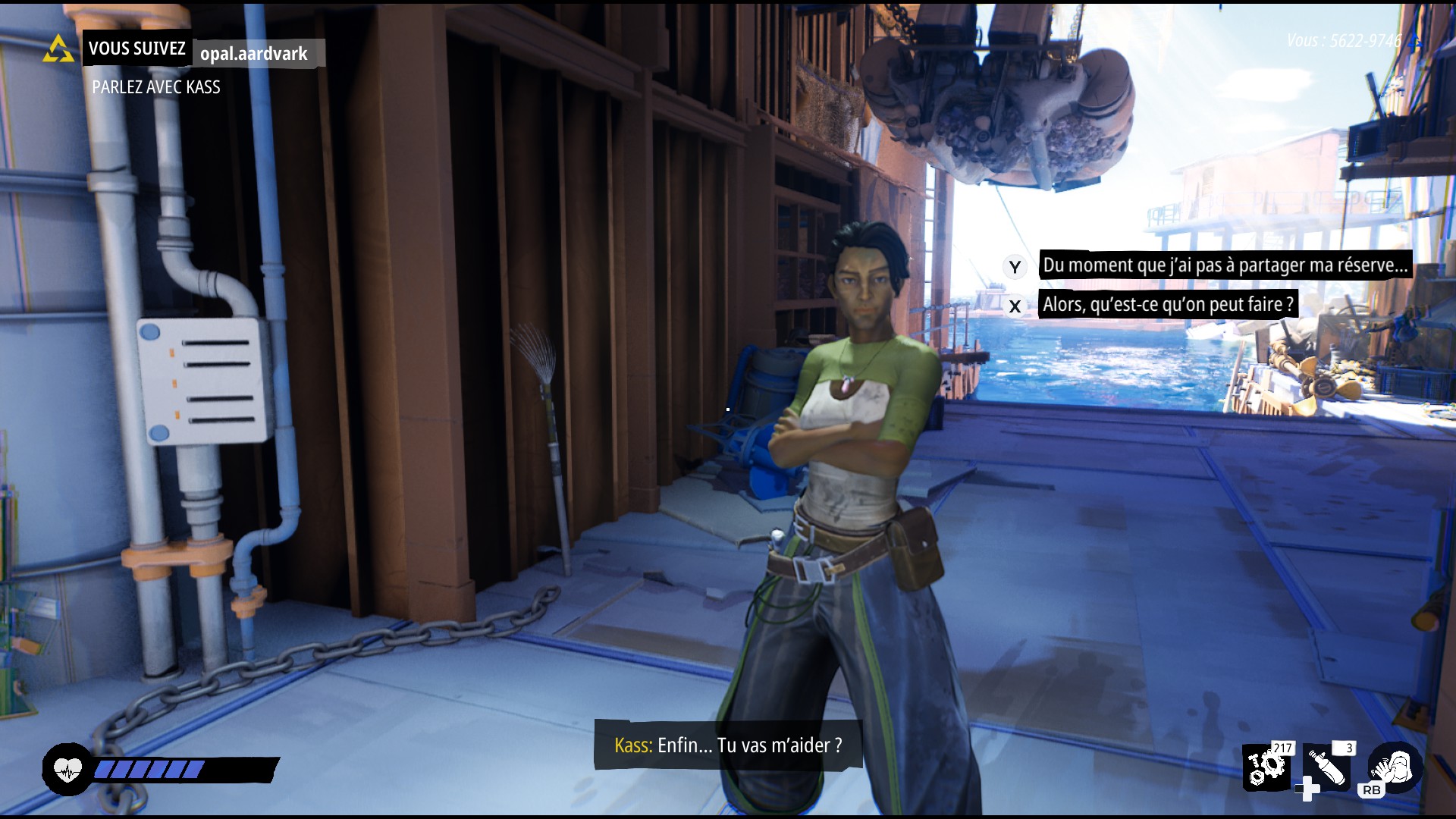
On this project I'm responsible for Dialogue system. From the in-editor tools to create dialogue trees, to the in-game implementation (how to start a dialogue, where, when, starting animation sequences etc...).
In link with this aspect of the project, I was also responsible for the Localization pipeline of the whole game. I built a specific exporter for dialogues to get all the information needed for translators.
 
 
I was also responsible for the Xbox series X & S port and the optimization on these platforms (mainly CPU and memory).
I learned how to use properly tools such as Pix or Unreal Insights to understand what parts of the project was causing optimization issues.
 
With the help of the designing team, I worked on several gameplay aspects of the game. I've worked on a system to display Objectives and subobjectives to the player.
 
https://sm.ign.com/t/ign_fr/screenshot/default/tides-of-tomorrow-gamescom-stealth1_ugd5.1400.jpg 
I've developed the feature that lets the player take an object to inspect it, manipulate it and get information depending on the rotation of the object itself.
I've helped on the boat shooting system. Developing two different aim system whereas the player is using the mouse or the controller.
 
Tides of Tomorrow - Trailer de la date de sortie - State of Play - VOSTFR -  4K | PS5 - YouTube 


A Day with Mochi


Introduction

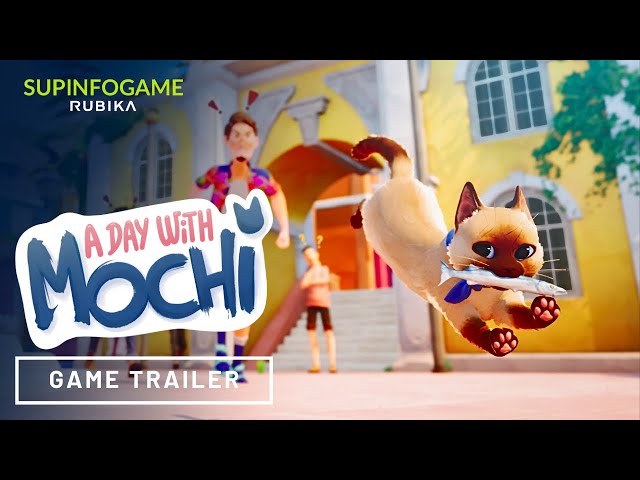
A Day with Mochi is a sandbox game based on systems when you are playing Mochi a young cat who just arrived on the island of San Felicete. You must help the local cats and fill up your photo album with Polaroids by making mischief. Interact with your world, charm the people (or make them angry), make a mess and escape to the rooftops...

The game is now available on Itch.io

Context

This game is my final school year project. We have 9 months to produce a Vertical Slice containing about 30 minutes of Gameplay. We are 11 on the team with 2 Systems Designers, 2 Level Designers, 1 3C / Tech Designer, 2 Environment Artist, 1 Character Artist, 1 Animator, 1 Generalist Artist and 1 Game Programmer which was my job.

Tools

The project is done on Unreal Engine 5.1 and using Perforce as source control tool.
The architecture is using both C++ and Blueprints to have a base defined by me and a higher level that can be used by the Designers. 
The game is also using some new tools of Unreal such as the World Partition, Lumen and Nanite.

My Work

On the project, I have the role of Lead Programmer / Technical Reference, my role is to establish an architecture, be sure that everything is working on the engine and to setup all the tools that we are using on the projet.
I am both using C++ and Blueprint on the project, the use of this two languages in the architecture is to let the possibility to the designer to help me with some programming and set a natural boundary between their work and mine. If by trying to solve a problem they find C++ code, then it means that this is not their area of expertise.
On the Gameplay part, I was responsible of creating all the AIs of the game from the base code to their Behaviour Trees and to code the different systems of the game (Objects, Awards, Life on the Island...)

Screenshots

 
Trailer


Pathing Tools


Introduction

For the game Plunder's Call (Presented in the previous post) we needed the boat to follow a predefined path during the levels. In order to simplify and to make this task quicker for the designers I decided to create a tool in Unity.

My work

First, I wanted to make a tool that can be reused with other objects than the boat and therefore in other Unity projects, even if the core can be reused on other engines.


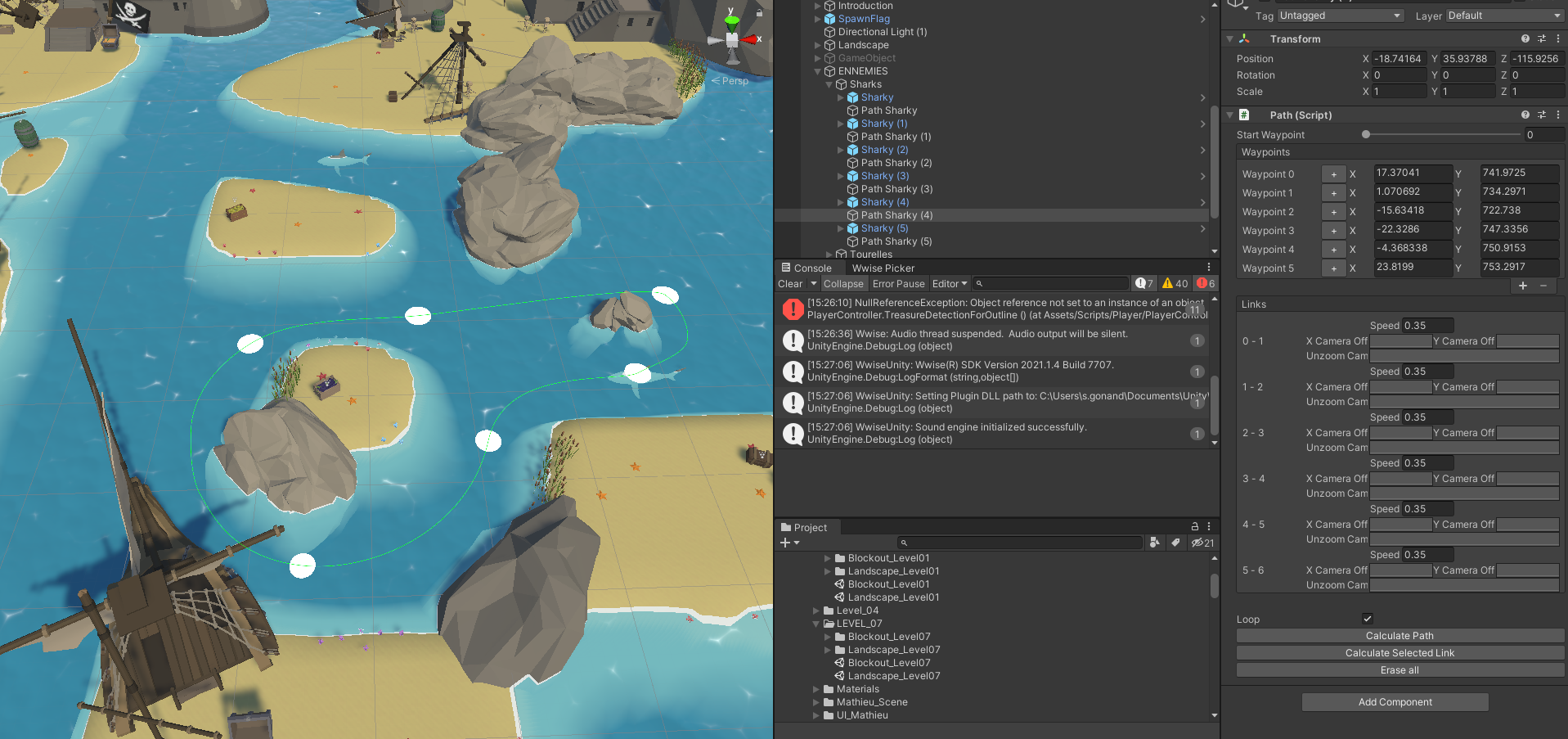
As you can see on those pictures, the tool implements Bezier curves to have nice curves that are easy to follow and to make it more realistic in game. Also it is using the Unity Nav mesh to calculate a first version of the path which will let the users to create less waypoints to avoid an obstacles. 


In this tool, the waypoints are here to lead the path of course (even if you can let the nav mesh create the path between two waypoints) but also to create different links that can have different kind of data (speed, camera offset and camera dezoom).


Finally, when the object that is following the path is reaching a certain waypoint, it can throw an event with a callback function that can be decided by the user.


Conclusion

This project brings me knowledge in tool development in general but also how to extend the Unity Engine editor. It also allows me to explore mathematic problems such as the Bezier curve and how to make a 3D object following it with his rotation.


Plunder's Call


Introduction

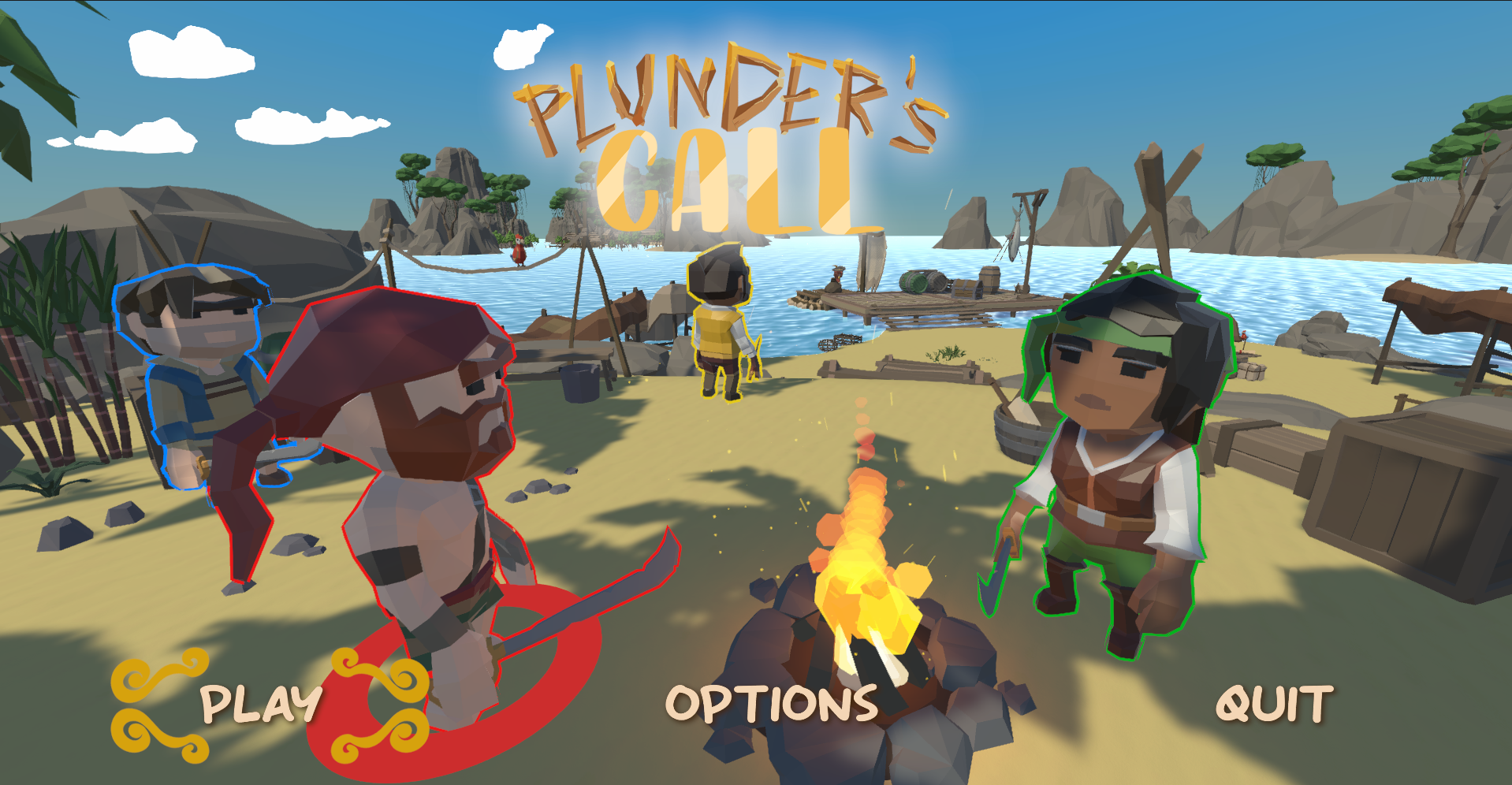
Plunder's Call is a 4 players multi local coop party game in the same vain as Overcooked and Moving Out where the players are pirates that are plundering archipelagos in different kind of levels. Their goal is to organize and coordinate themselves in order to get a maximum amount of treasures.


Context

This game was a school project made on Unity with two constraints. Only 4 months of production and no artists available on it. To overcome this, we get a budget of 70€ to buy assets.


My Work

On this project I was the only programmer. Which means that I worked on the controller, the local multiplayer, all the gameplay features (including Collision managment & physics), a pathing tool (which I present in detail in the next post) and assets, UI, feedbacks integrations...


Conclusion

This project was my first videogame production and the most complete project that I did on Unity. It helped me to better understand the engine with his pros and his cons (espacially the physic). Being the only programmer of a project was also enriching by the fact that there is no one to rely on when something goes wrong and that is how I learned most.

Screenshots


Pathfinding A* on an 8-bit hardware


During the last entire year, I was working on a study of old 8-bit technologies.
For the sake of this study, I worked on the development of an A* pathfinding algorithm using C on the ColecoVision processor (the Z80). The challenge of this project was to put such a complex algorithm on 1kB of RAM.
This project brings me a certain mastery of the C language especially in optimization. For example, replacing arrays by just several bits and manage them using bitshifting in C.
To give a simple explanation, the main optimisation of the project was that the map was divided in a grid of nodes, each node has all his attributes on 2 bytes, as shown on the image below:

Thanks to this solution, I could save a lot of memory and I manage to run this pathifinding algorithm on this hardware.
I also managed to realize some tests using the Assembly language to compare the performances of the two programs. Unfortunately, I didn't had enough time to finish this project. Nevertehless, I had enough resources to complete my study.

Serious Game Project


During my honours year of BSc at the University of the West of Scotland, I made a Serious Game prototype to help people to learn japanese characters (Hiragana, Katakana and Kanjis). Using a small hand made engine using C++, OpenGL and ImGui.


This game allows me to explore algorithm such as the Ray Casting to check if a point is inside a figure or not, or an algorithm that allows the player to draw with his mouse on the screen.
The Game Design Document and the protype are available on this GitHub repository.


The main diffculty of this project was the short period of time available to make it. Between 2 and 3 months to create this game from scratch including the engine. This project was planned for a team between 3 to 5 people but I did it alone.


Contact Me

SIMON GONAND
+33 6 95 98 75 61
Montpellier, Hérault(34)

Powered by Blogger.

Raylib Project

: INTRODUCTION  Source code here   This project is something personal. I always wanted to work on a project that has his own engine and hiw ...